
If you can’t explain how AI moves dollars, your “AI performance” dashboard will degrade into opinions.
This is the most common failure mode we see:
- The team tracks deflection (tickets avoided).
- Leadership asks, “Does it help revenue?”
- No one trusts the answer, so the project stalls.
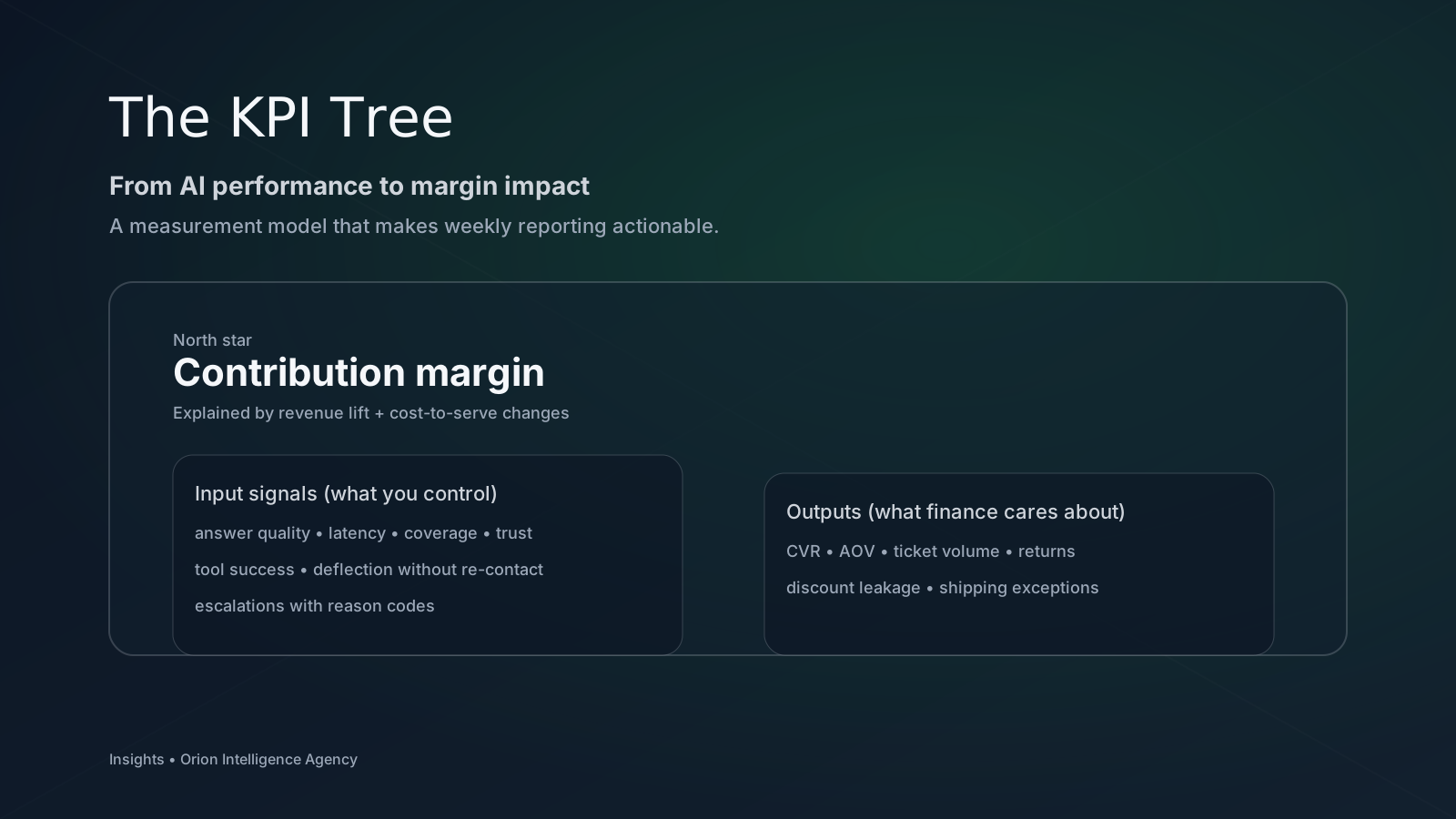
The fix is not “more metrics.” The fix is a KPI tree: a small set of linked measures that connect what the assistant does to what the business earns.
Start with the outcome: contribution margin #
Revenue is not the only lever. Chat can raise conversion and reduce cost-to-serve—but it can also create returns, discounts, and rework if it’s wrong.
So the clean outcome metric is:
Contribution Margin = Gross margin − (support cost + returns cost + discount leakage + fraud / chargebacks)
You don’t need perfect accounting to start. You need directionally correct deltas and consistent measurement.
The two big branches: revenue lift and cost-to-serve #
Branch A — Revenue lift (where AI increases purchases or expansion) #
Useful revenue signals (pick what fits your business):
- Conversion rate uplift for workflows assisted by AI vs matched controls
- Expansion / upsell lift when AI improves adoption or recommendations
- Cycle time reduction that increases throughput (sales, onboarding, service delivery)
Guardrail: don’t attribute everything to AI. Use an experiment or at least a matched comparison (same segment, channel, geography, and time window).
Branch B — Cost-to-serve (where AI reduces human load) #
Useful cost signals:
- Automation without re-contact (the “no boomerang” version of deflection)
- Handle time reduction when humans are still in the loop (better context)
- Work mix shift (fewer repetitive tasks; teams focus on edge cases and revenue)
The key phrase is “without re-contact.” A quick answer that’s wrong doesn’t reduce cost; it delays it.
The inputs: what you can actually control each week #
Think of inputs as levers you can pull through operations:
1) Experience signals (quality + speed) #
- Time to first useful token (perceived latency)
- Resolution rate (conversation ends with a solved state)
- Follow-up rate (how often users ask the same thing twice)
2) Trust signals (grounding + safety) #
- Citation rate on policy/product answers
- Safe deferral rate when the assistant can’t verify
- Incident rate (high-risk topics, policy violations)
3) Coverage signals (what the system can handle) #
- Top-intent coverage (share of volume covered by grounded sources/tools)
- Tool success rate (order lookup, returns, inventory)
- Knowledge freshness (stale articles, promo drift)
These inputs map to outputs. Outputs map to margin.
The “three metrics that lie least” (a quick weekly set) #
If you want an ultra-simple weekly report that still ties to outcomes, use:
- Resolved / Session (proxy for utility)
- Re-contact within 7 days (proxy for hidden cost)
- Citation rate on eligible answers (proxy for grounding health)
Together, they discourage gaming. You can’t spike resolution by guessing if citations and re-contact are visible.
How to instrument without boiling the ocean #
Minimum instrumentation to start:
- A conversation identifier that ties to session/checkout events
- A “resolved” state captured explicitly (button, quick survey, or event)
- Reason codes for escalations (shipping, returns, product fit, payment, other)
- A lightweight sampling audit (10–20 conversations/week)
This can be assembled in a week. It’s not a data warehouse project.
What to do this week #
- Define your KPI tree on one page (inputs → outputs → margin).
- Pick 3 weekly inputs you will act on (not just watch).
- Add one anti-gaming metric: re-contact or citations.
If you’d like, we can help you set up a weekly KPI loop that finance and CX both trust: Book a Strategy Call.